


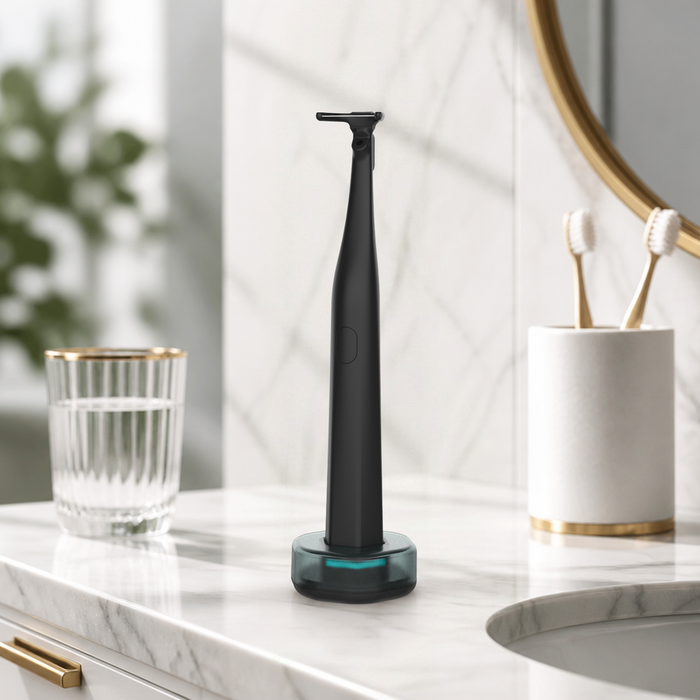


VORAIYA · CUSTOMER SUPPORT
Need help with your order?
We're here for you.
Contact us safely through Amazon's official messaging system. We respond within 24 hours.
🔒 Amazon Seller Messaging — 100% Secure
Step by Step Guide
1
Open Amazon App → Your Orders
Tap your account icon and go to Your Orders. Find the order for this product.
2
Tap the order → Order details
Tap on the order to open the Order details page.
3
Tap "Ask Product Question"
On the Order details page, tap the Ask Product Question button under the item.
4
Select an order
The Messaging Assistant opens. Your order will appear — Tap Select to confirm.
5
Choose "Product Question"
The assistant asks how it can help. Tap Product Question.
6
Choose "Product details"
Tap Product details to reach us directly.
⚠️
Please select "Product details" only. Choosing "Product Customization", "Troubleshooting", or "Warranty Information" will route you to Amazon's general customer service instead of our team.
7
Type your message & send
Describe your issue clearly. Tap Send Message — we reply within 24 hours.
📸
Attach a photo — a picture helps us resolve your issue much faster.
Screenshot Guide · Mobile
Step 1Your Orders
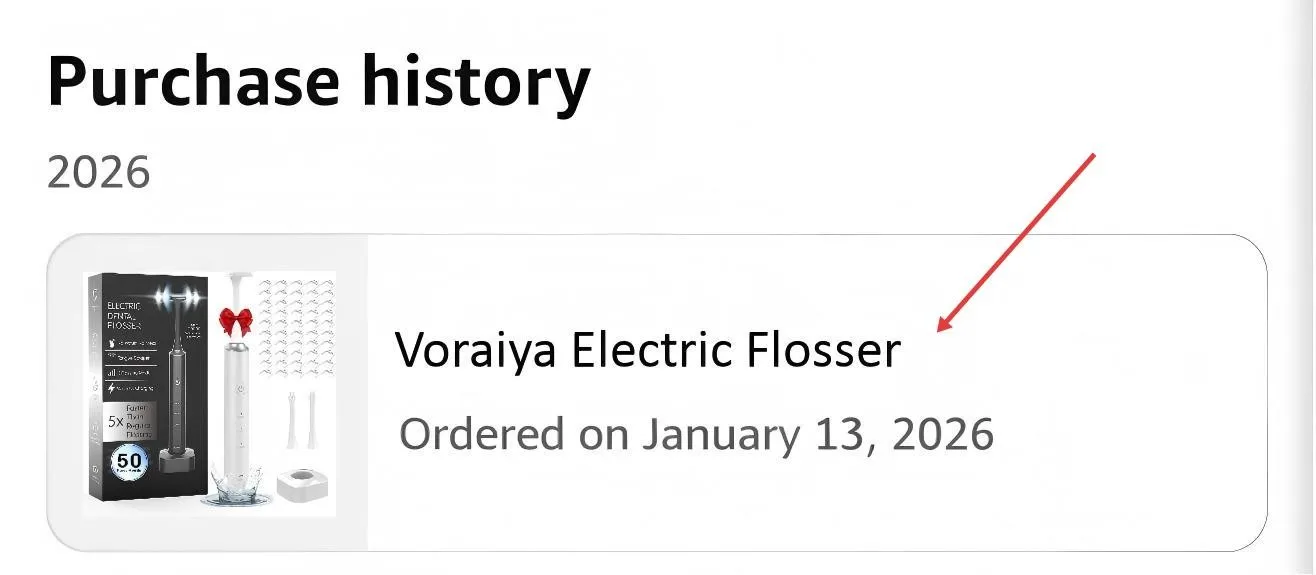
Go to Your Orders and find the order for this product.
Step 2-3Order details → Ask Product Question
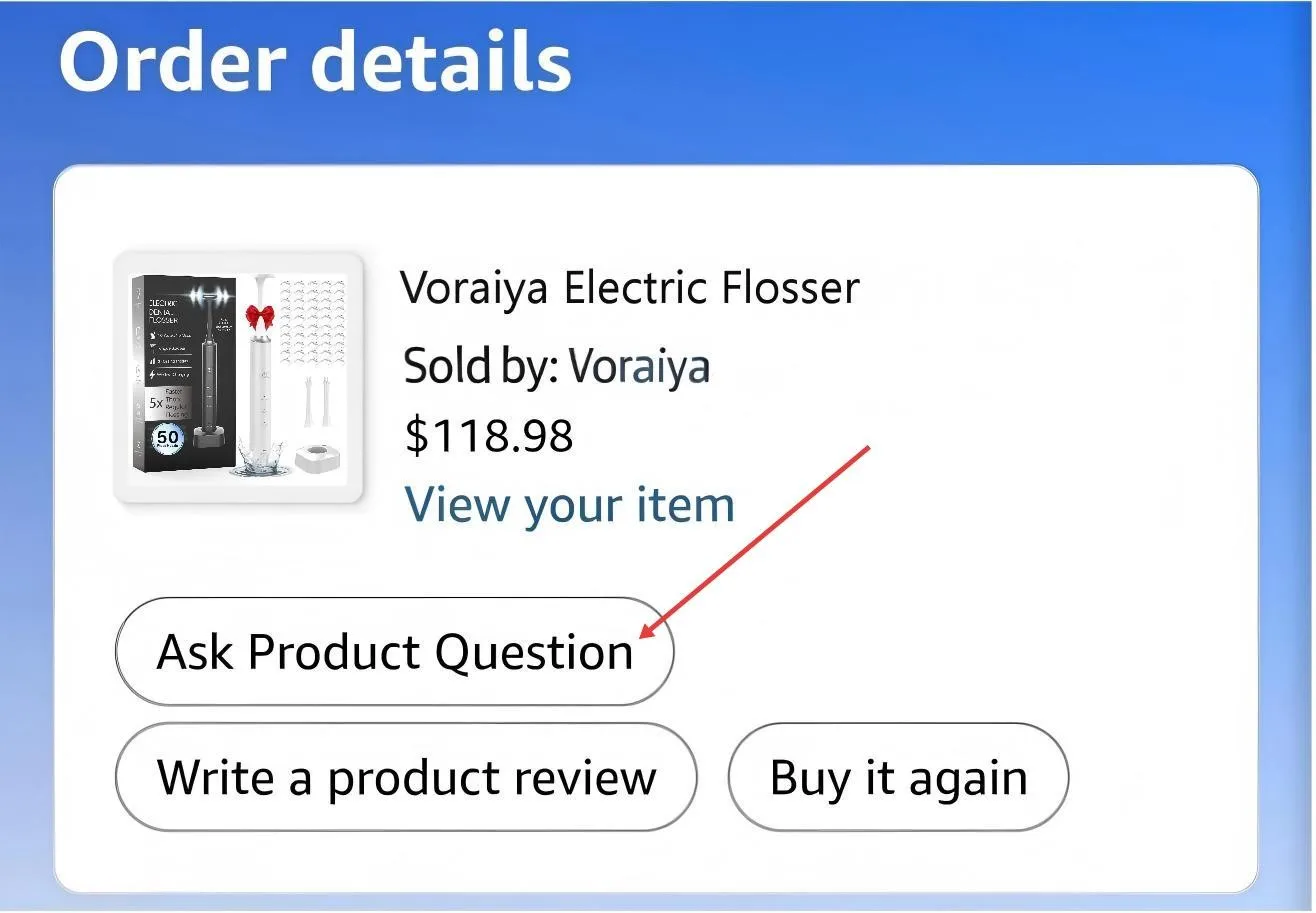
Tap the order to open Order details, then tap "Ask Product Question".
Step 4Select an order
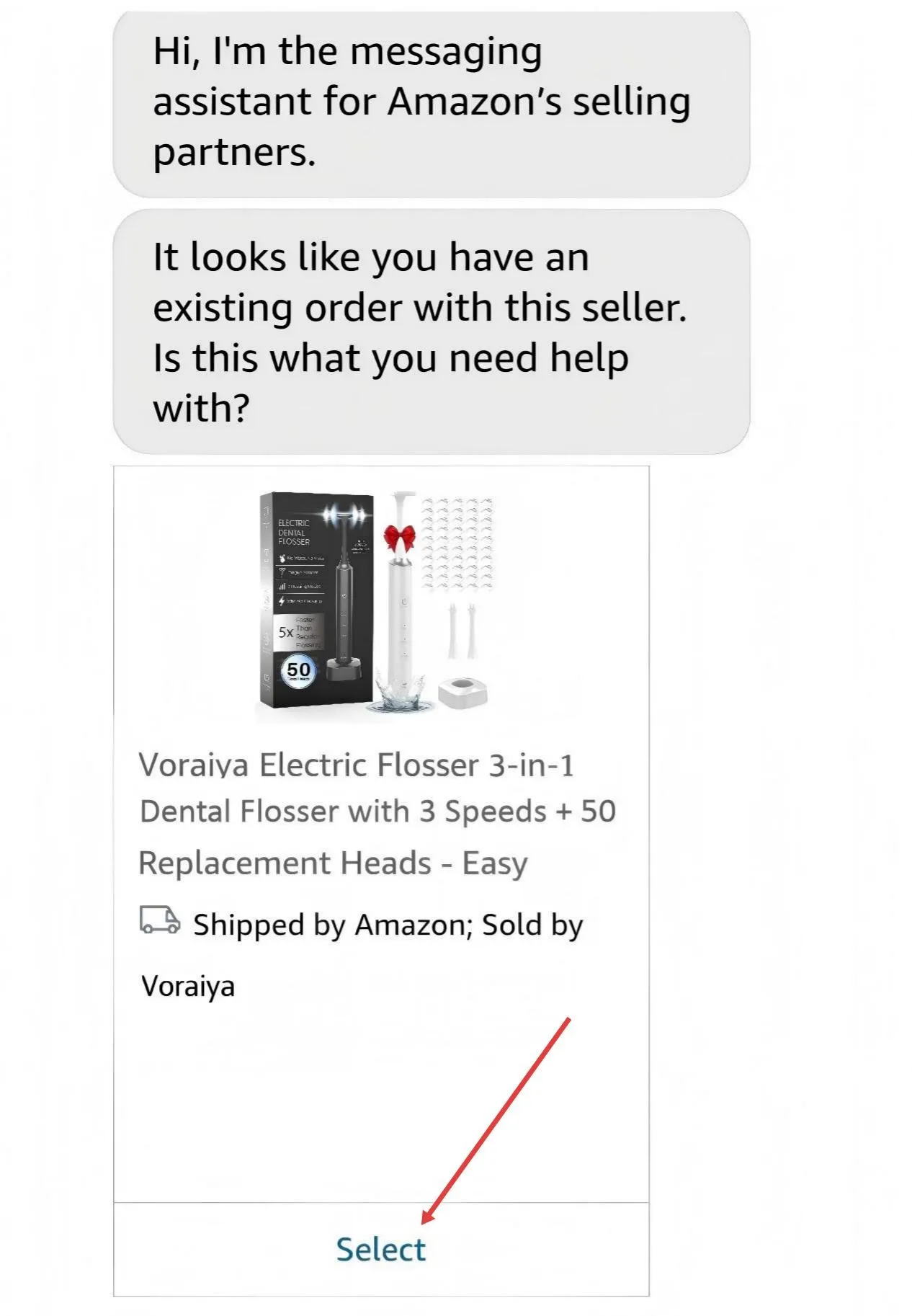
Messaging Assistant opens — tap Select on your order.
Step 5Product Question
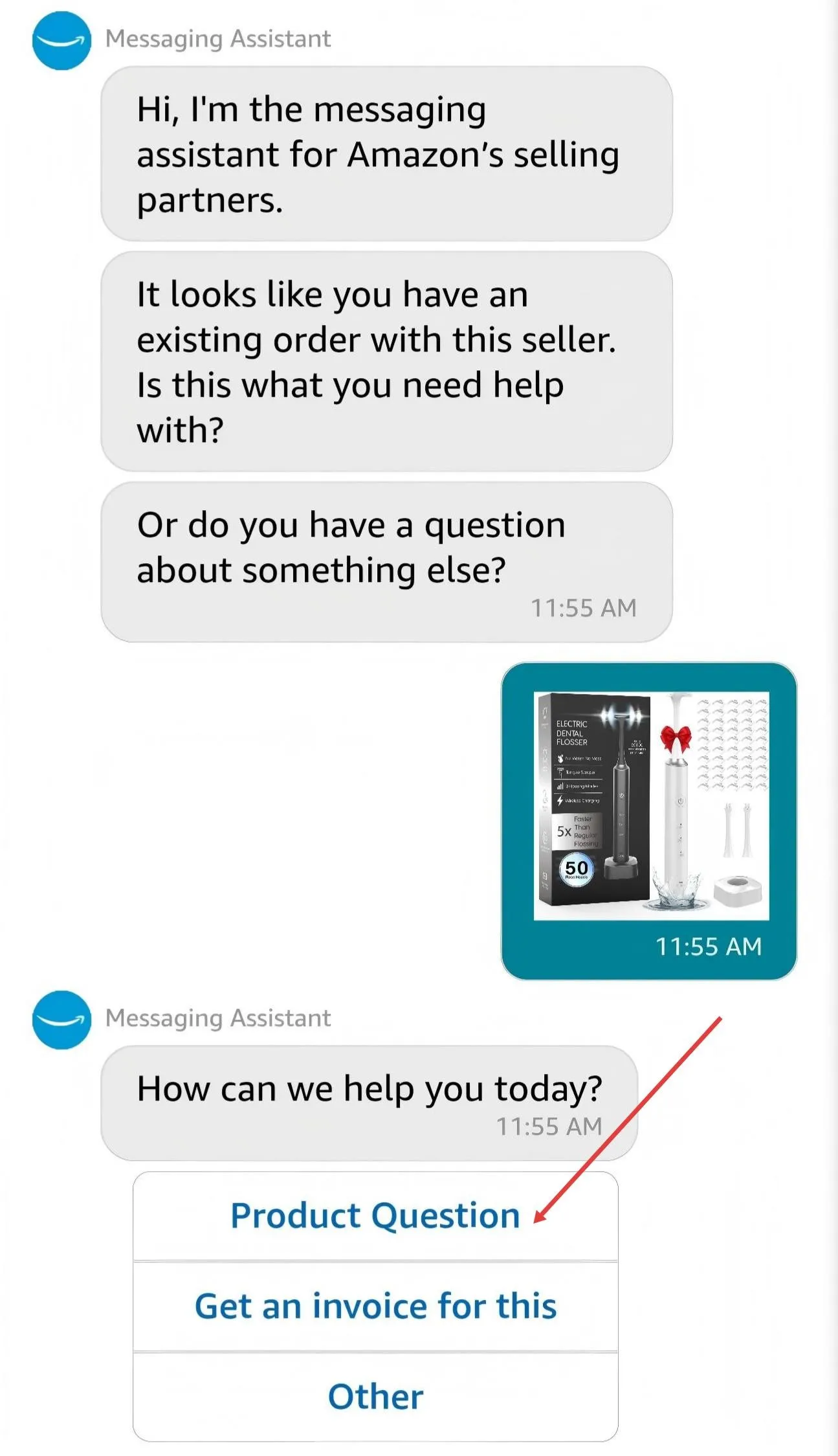
Tap Product Question.
Step 6Product details
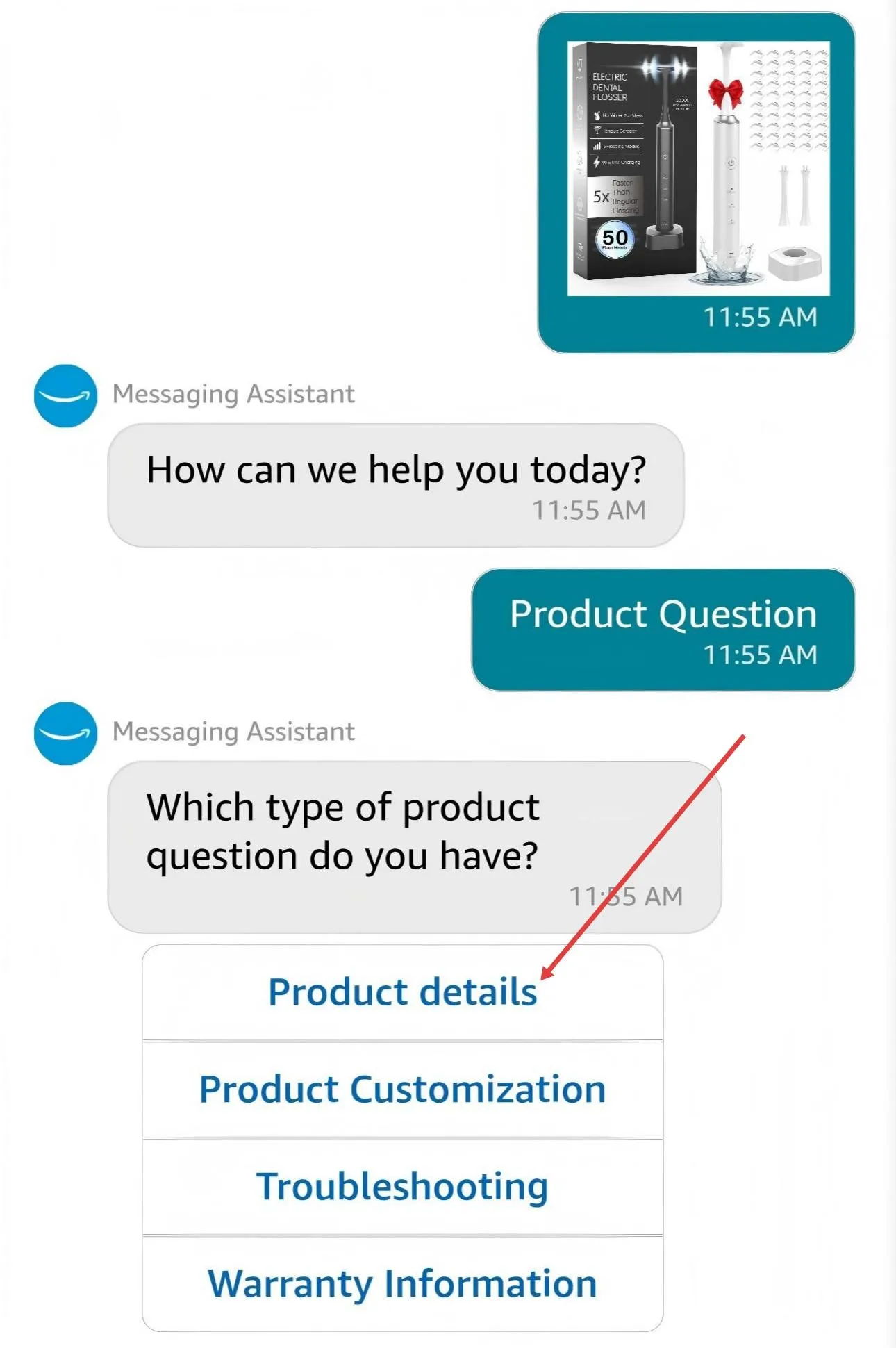
Tap Product details only — do not select Troubleshooting, Product Customization, or Warranty Information, as those go to Amazon's general support.
Step 7Send message
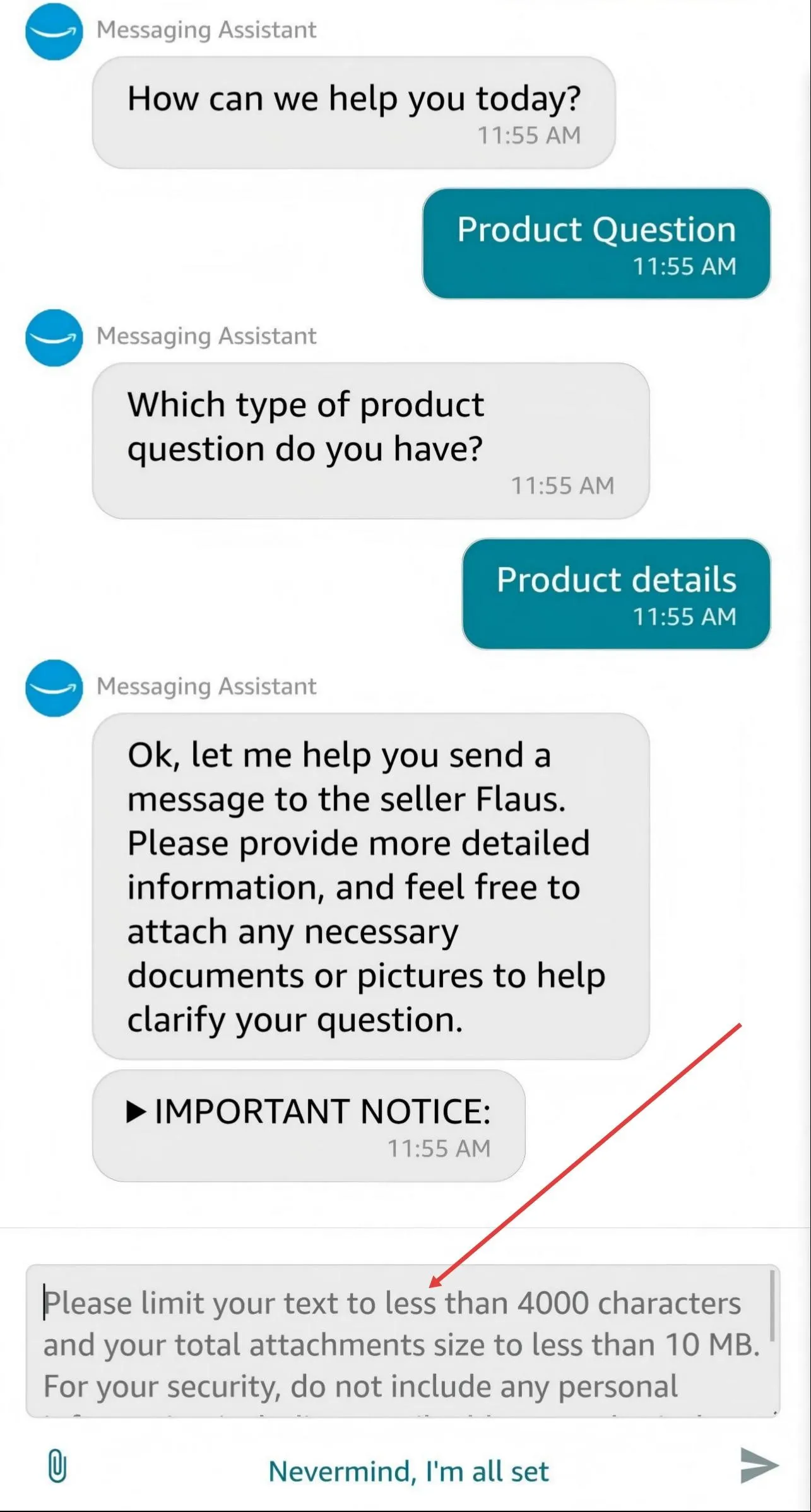
Type your question,attach photos if helpful,tap Send Message.
Step by Step Guide
1
Go to Amazon.com → Your Orders
Log in and click Your Orders in the top-right. Find the order for this product.
2
Click "Ask Product Question"
On the order row, click Ask Product Question directly — no need to open order details first.
3
Select an order
The Seller Messaging Assistant opens. Click Select on your order.
4
Choose "Product Question"
The assistant asks how it can help. Click Product Question.
5
Choose "Product details"
Click Product details to reach us directly.
⚠️
Please select "Product details" only. Choosing "Product Customization", "Troubleshooting", or "Warranty Information" will route you to Amazon's general customer service instead of our team.
6
Type your message & send
Describe your issue clearly. Click Send Message — we reply within 24 hours.
📸
Attach a photo — a picture helps us resolve your issue much faster.
Screenshot Guide · PC
Step 1-2Your Orders → Ask Product Question
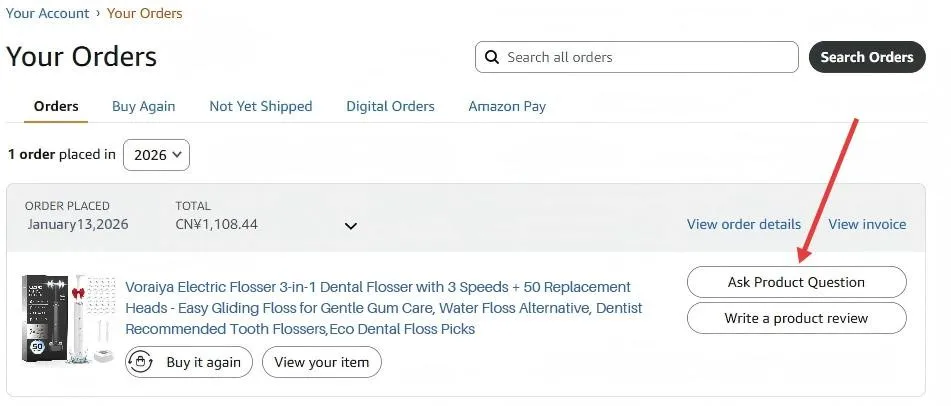
Go to Your Orders. Click "Ask Product Question" directly on the order row.
Step 3Select an order
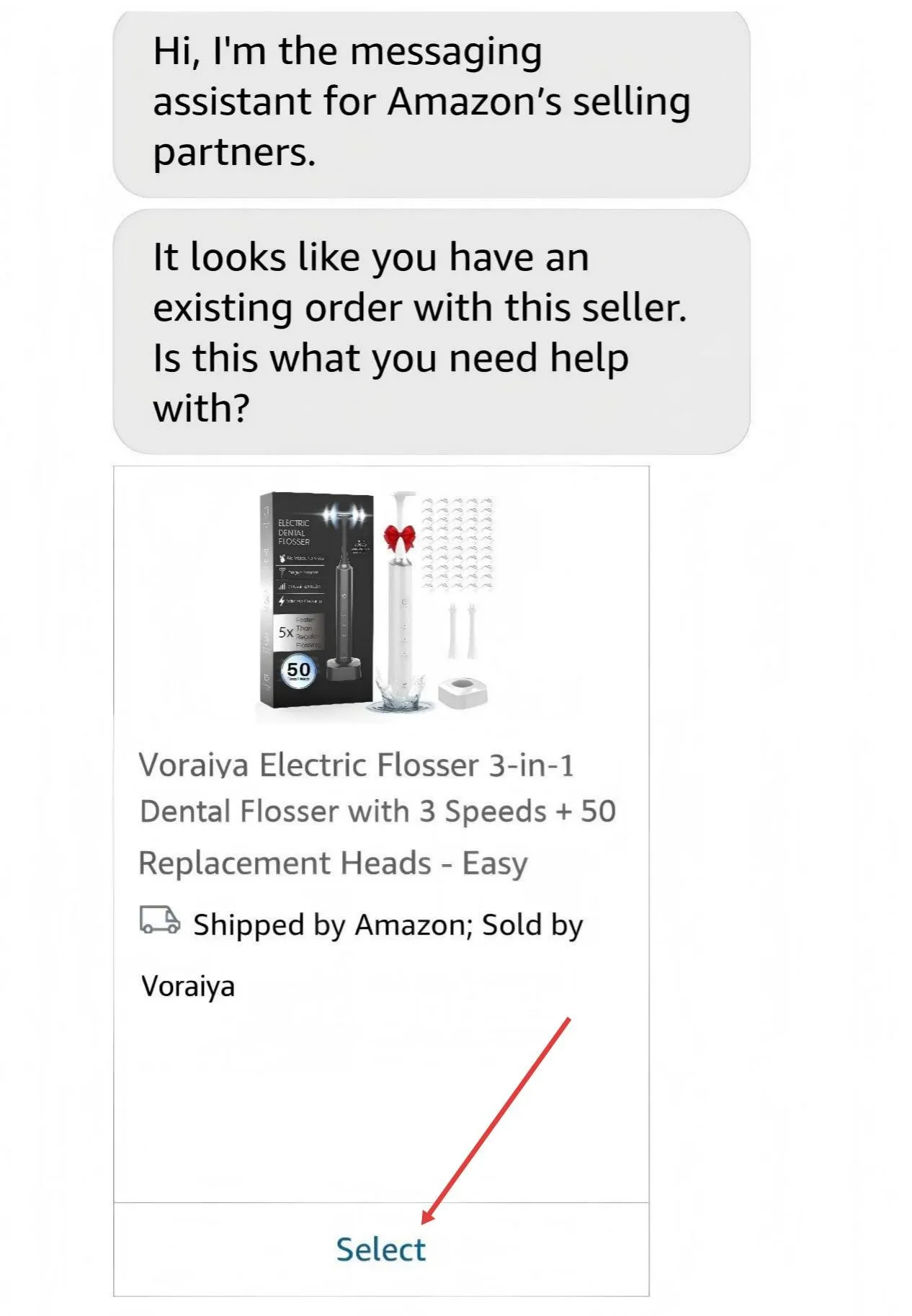
Messaging Assistant opens — click Select on your order.
Step 4Product Question
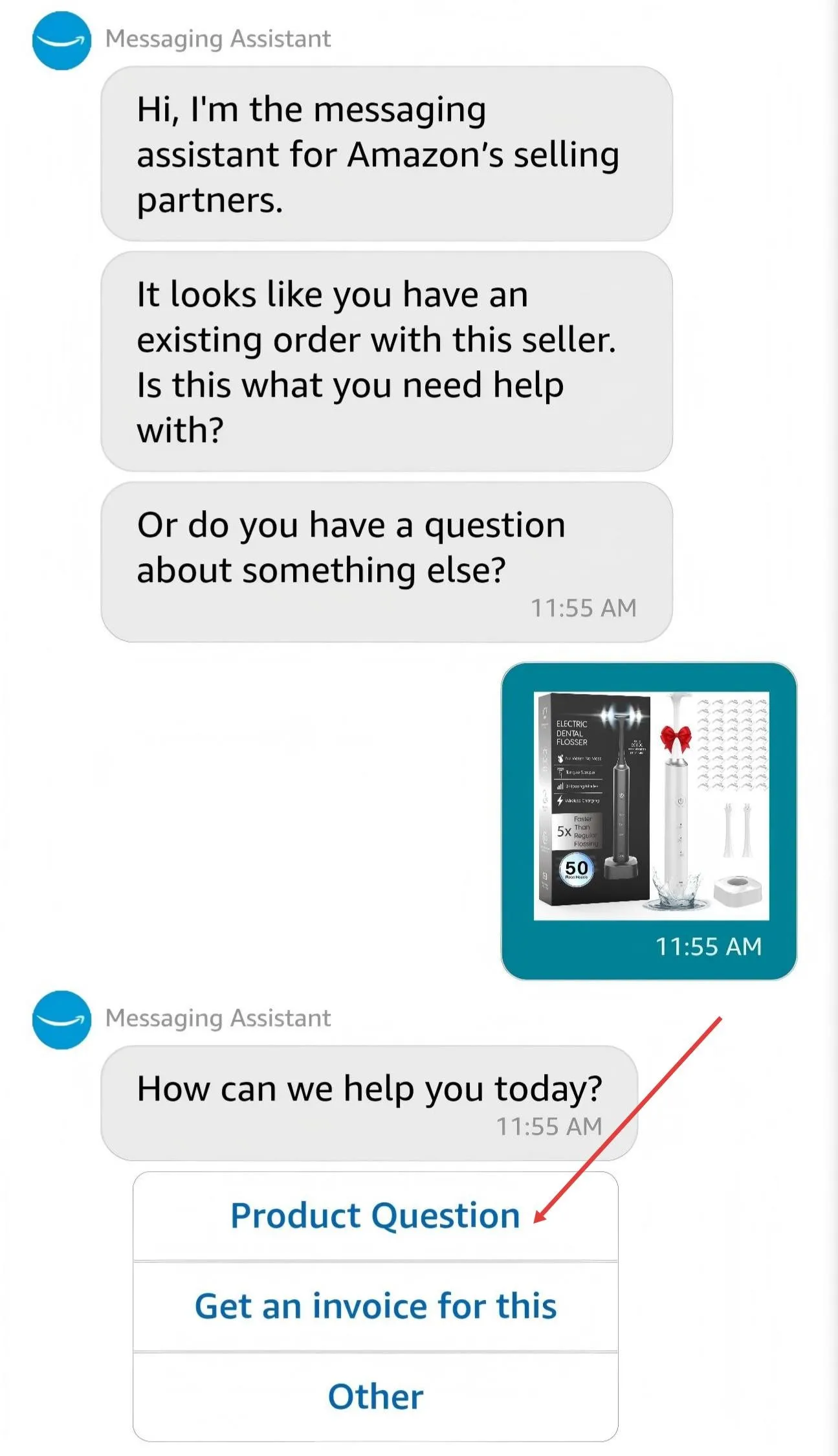
Click Product Question.
Step 5Product details
Click Product details only — do not select Troubleshooting, Product Customization, or Warranty Information, as those go to Amazon's general support.
Step 6Send a message
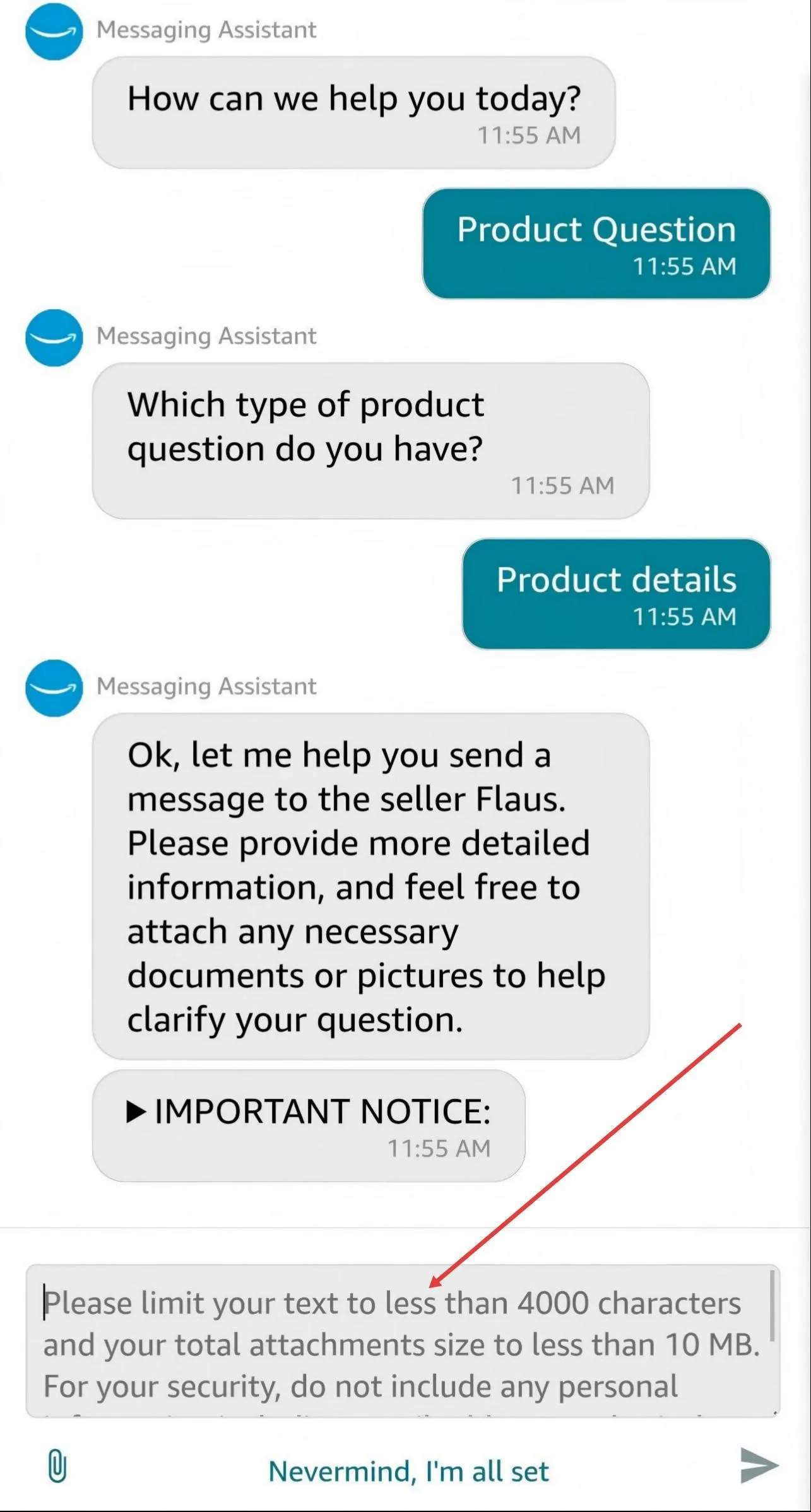
Type your question, attach files if needed, click Send Message.
⏱
Reply within 24 hours
Check your Amazon inbox for our response.
🔒
Your privacy is protected
We never see your email or phone number.
⭐Our Promise to You
Whether it's a question, a replacement, or a warranty claim —we will make it right.Your satisfaction is our highest priority.
This page is provided by Voraiya to help you reach us through Amazon's official messaging system.
All communication is handled securely within Amazon's platform.


